Optimising Photos & Videos for Websites
Real before-and-after examples showing the dramatic difference optimisation makes to file size and loading speed.
Why Optimisation Matters
Modern digital cameras produce enormous files — both in dimensions and file size. A typical camera photo might be 7MB and 6000 pixels wide. That is perfectly fine for printing, but catastrophic for a website. Most visitors will abandon a page that takes more than three seconds to load, and a single unoptimised photo can cause exactly that.
With professional optimisation, the same image can be reduced by 90% or more in file size with no visible loss of quality. The examples below show exactly what that looks like in practice.
Recommended Sizes & Specifications
📷 Photos
- Full-width hero images — 1920px wide
- Content images — 800 to 1200px wide depending on layout
- Galleries and slideshows — identical dimensions throughout
- Consistent dimensions across sections give a professional, cohesive appearance
🎬 Videos
- Full-screen video — 1920 × 1080px, 16:9 aspect ratio
- Always use landscape format — fullscreen mode handles rotation automatically
- Multiple videos on one page must have identical dimensions
- Check copyright before adding background music or sound effects
The image below illustrates why landscape format is always preferred over portrait for website videos.
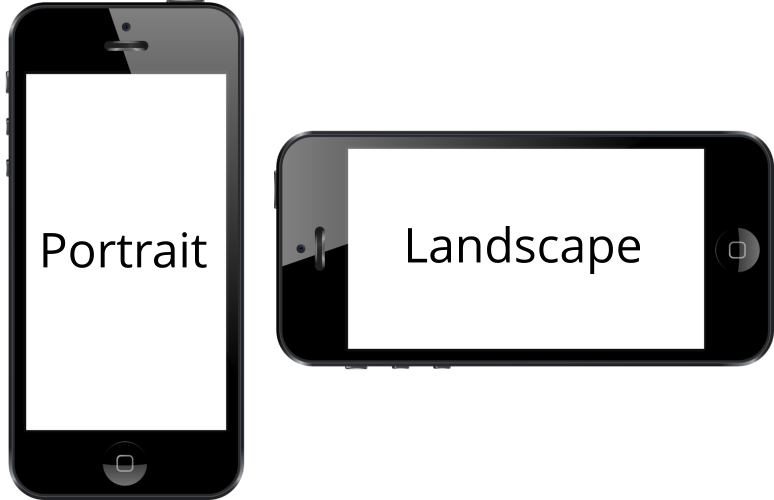
Photo Optimisation Examples
The three versions below are the same photograph at different levels of optimisation. Click any photo to view it full size.

This original camera file would take 10 to 30 seconds to load on average connections, causing most visitors to leave before seeing your content.

96.4% file size reduction. Loads in under one second while maintaining excellent visual quality suitable for most website applications.

97.4% file size reduction. Perfect for mobile-first designs and lightning-fast page loads on any connection speed.
Video Optimisation Examples
The three versions below are the same video at different levels of optimisation. Press play on each to compare quality.
Original export from video editing software. Too large for efficient web delivery — causes buffering and delays on most connections.
50% file size reduction. Optimised for desktop and tablet viewing with excellent quality and smooth playback.
88.7% file size reduction. Optimised specifically for mobile devices and slower connections.
Smart Delivery: We can configure your site to automatically serve the mobile-optimised version to smartphones and tablets, while delivering the higher-quality version to desktop users with larger screens and typically faster connections.
Note: If you are viewing the mobile-optimised video on a large desktop screen in fullscreen mode, it may appear slightly softer than the desktop version. This is normal — mobile users will not notice any quality difference on their smaller screens.